
A Brokermint alternative for small brokerages
For an owner-run office that tracks commissions in a spreadsheet today: what Brokermint's own pages say it does, what Deskwork does, and where Deskwork is the wrong choice.
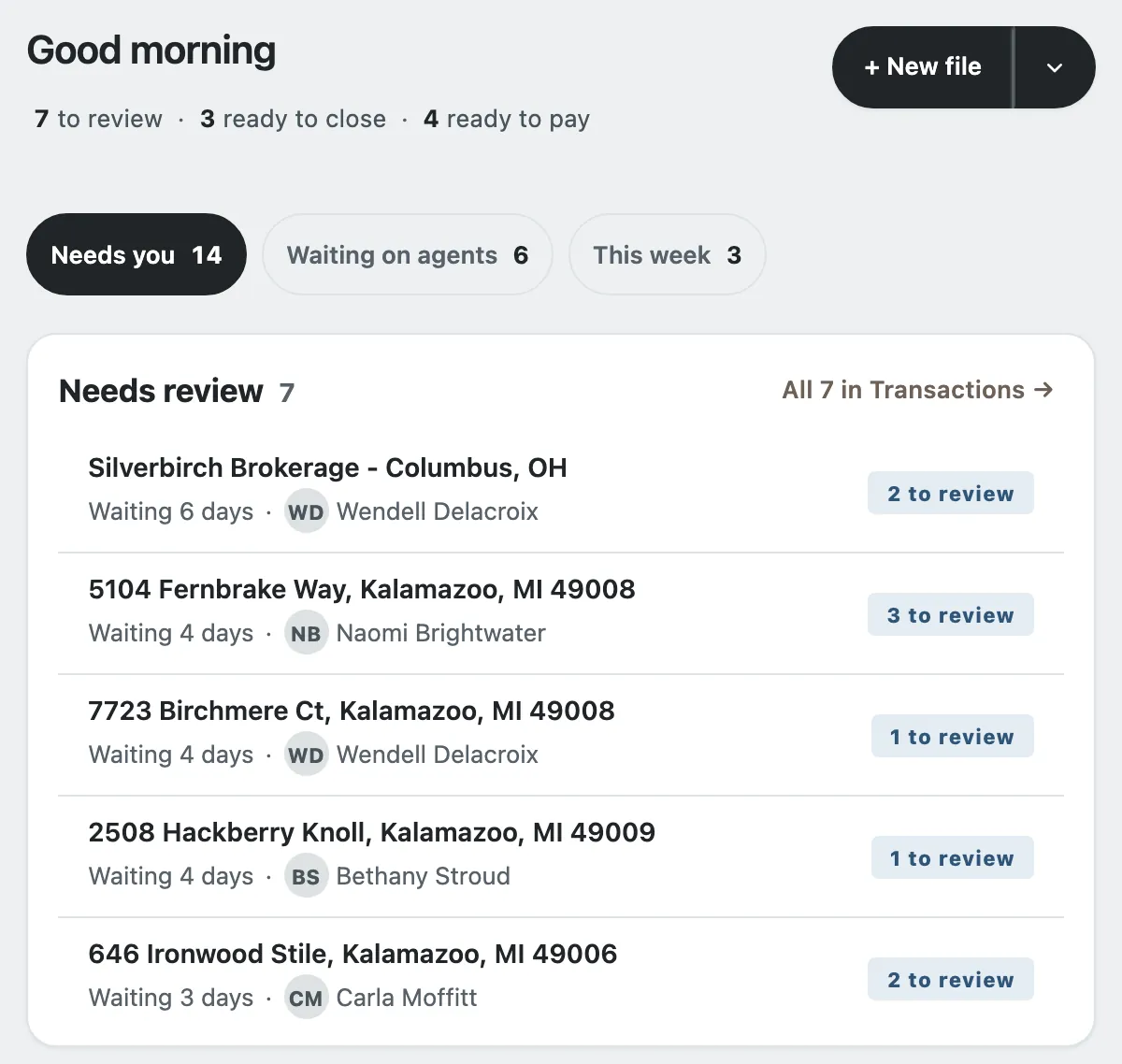
The screens on this page are the real product, running on an invented office. Anything said about Brokermint was read from Brokermint's public pages on November 19, 2026, and is linked below.
A small brokerage is often one broker, maybe an office manager, and the agents. The back office is a spreadsheet: a row per file, a cap column, and a statement built by hand at closing. Brokermint and Deskwork both sit in that job. They are not the same product. This page is for the office that is choosing, not a ranking.
Who this page is for
An independent office of about one to twenty-five agents, where the broker still does the closings. The office already has a commission sheet, or a shared drive full of documents, and wants one place for the file, the plan, the cap and the statement. That office is who the small brokerage back office page is written for. A larger operation that wants accounting, agent billing and payments inside the same login should read the "not the fit" section before the table.
What each product does
As of November 19, 2026. Brokermint's column is only what its public pages listed that day. If a fact was not on those pages, it is not in the table.
| Job | Brokermint, as of November 19, 2026 | Deskwork |
|---|---|---|
| Commission plans and caps | The commission page says you can create unlimited team or individual plans with splits, sliding scales, caps and fees, and apply them to transactions. | A split with or without a cap, a fee-only plan, or tiers. Caps run on each agent's anniversary year. Each closing keeps the plan it was paid on. |
| CDA and statements | The commission page says it generates commission disbursement authorizations and commission statements. The accounting page says it generates monthly agent statements of charges. Agent billing and next-day ACH are listed on the Professional plan, not on Standard. | Works out the figures that go on a CDA and keeps them on the file. It does not send the CDA. At pay it issues each agent's statement and emails it. It does not pay the agent. |
| Transaction file | Standard lists transaction management, checklists and tasks, and e-signature and forms. The demo page also lists calendars, offer management, document storage and a compliance audit trail. | A file for each listing, buyer deal or referral, with the office's checklist. Documents go to the brokerage's own Google Drive. Signed documents arrive as documents. Deskwork is not an e-signature tool. |
| Roster | Standard lists team management. Professional adds agent onboarding. The agent management page describes a profile per agent, with that agent's calendar, commission plan and transactions. | The broker adds each agent by the Google address they sign in with. Agents see their own files, their cap and their statements. They do not see the office's figures. |
| Reports | Standard lists reports. The demo page says pre-built reports and custom reports, including agent and brokerage production. | A year-end report of every agent's closings, to the cent, as one CSV for the accountant. It does not file a return. |
| Pricing | The plans page lists Standard and Professional, and each one says to book a demo. That page did not list a dollar price on November 19, 2026. | An office you set up yourself through the signup page is free: every feature, every agent on the roster, no card and no trial clock. An office Deskwork sets up with you is priced in a written agreement. Pricing says the same thing. Read about pricing. |
Sources, read November 19, 2026: Brokermint plans, commission automation, accounting, agent management, and the demo page's module list. Standard, on the plans page, also lists MLS integration, QuickBooks integration, a dashboard and a mobile app. Professional adds accounting, agent billing, next-day ACH, multiple office locations, CRM integration, API access, custom branding and single sign-on.
Where Deskwork is not the fit
Say this plainly. Pick Brokermint, or something else, if you need any of these:
- The software pays agents or bills them. Brokermint's Professional plan lists next-day ACH and agent billing. Deskwork does not pay agents and holds no bank details. You pay agents the way you do today.
- You want an accounting system, or QuickBooks in the same product. Brokermint's Standard plan lists QuickBooks integration, and Professional adds accounting. Deskwork is not an accounting system. Your accountant still keeps the books.
- You need e-signatures inside the product. Brokermint's Standard plan lists e-signature and forms. In Deskwork, signed documents arrive as documents on the file's checklist.
- You want transactions synced from an MLS. Brokermint's Standard plan lists MLS integration. Deskwork does not sync a transaction from an MLS.
- The office cannot use Google. Deskwork sign-in is a Google account, Workspace or Gmail, and documents are stored in the brokerage's own Google Drive.
What you get if Deskwork is the fit
The broker's day starts on Office desk: the day's counts, then one list of files that need a person. Commission plans, caps and the statement for each closing are the job described on commission tracking software for brokerages. If the office is still on a sheet, the choice between keeping it and moving is in Google Sheets or a brokerage back office.

How to try it
Sign up with the brokerage's Google Workspace account or a Gmail address. No card is asked for. Confirm the brokerage's name and you are its broker-owner. Set a plan, open the workbook you keep today, and nothing is filed until you say so. Request access if you would rather we set the office up with you. What that costs is a written agreement, not a price on this page.
Questions brokers ask
Does Brokermint list a price on its public plans page?
Not on November 19, 2026. The page lists a Standard plan and a Professional plan, and each one asks you to book a demo. It does not list a dollar price.
Does Deskwork pay agents or keep the books?
No. Deskwork works out each share and writes the statement. It does not pay agents, it holds no bank details, and your accountant still keeps the books.
Who should not pick Deskwork instead of Brokermint?
An office that wants the software to move money, keep the books, sync QuickBooks, send e-signatures, or sync transactions from an MLS. Brokermint's public pages list those. Deskwork does not do them.
Try it on your own office
Set up a plan, file a deal and close it before you decide. An office you set up yourself through the signup page is free. If we set up your office with you, what your brokerage pays is set out in our written agreement with you. Read about pricing.
Sign up free Have us set it up
More from Deskwork
- Real estate brokerage back office software
- Commission tracking software for brokerages
- Commission disbursement authorization (CDA) software
- Transaction closing checklist for brokerages
- Brokerage software that works with Google Sheets
- Small brokerage back office
- Back office for real estate teams
- Back office for a new brokerage
- Commission statements for office managers
- Every solution page