
Small brokerage back office, for 1 to 25 agents
One broker, perhaps an office manager, and up to twenty-five agents: a back office sized for that office, free when you set it up yourself.
The screens on this page are the real product, running on an invented office.
In a small brokerage the broker is often the office manager, the compliance reviewer and the person who works out every commission as well. A spreadsheet checks nothing for that person. Deskwork is written for an office of that size: one broker-owner, perhaps an office manager or an assistant, and agents who want to see their own files and pay without asking.
Built for the broker who does it all
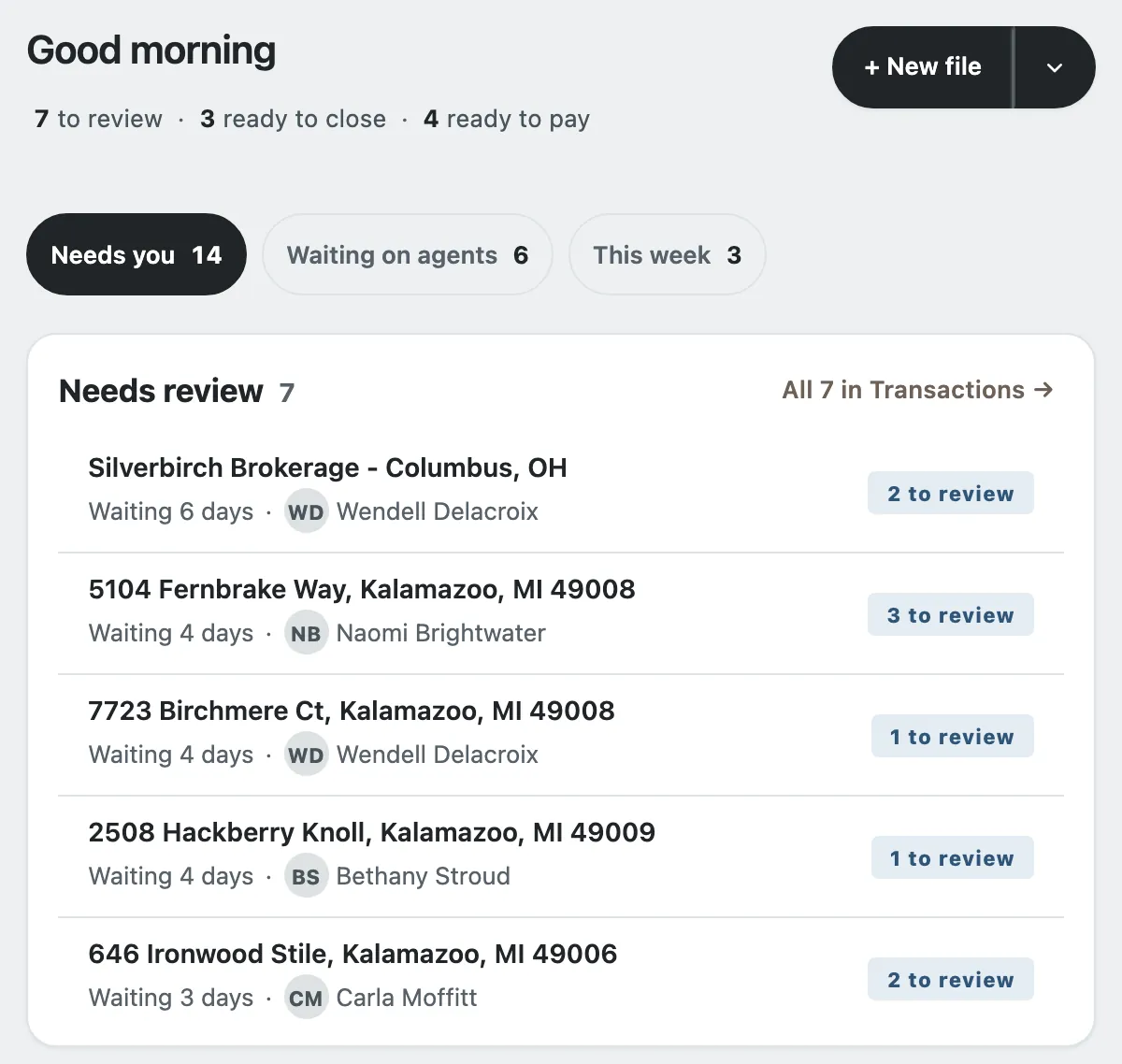
Office desk is the broker's day: the day's counts, then one list under three tabs, Needs you, Waiting on agents and This week. New file starts a listing, a buyer deal or a referral. On a phone the broker's bar is Office desk, Transactions, Calendar, Closing and More, so reviewing a file between showings works.
Agents serve themselves
On an agent's first sign-in, My desk shows three steps: start a file, add your documents, hand it in. After that it lists what needs them, their open files and their pay this year, with cap progress and the day their cap resets. Statements are on Pay, so an agent can see for themselves which documents the office still needs and how close they are to cap.

Setting up without a migration project
Sign up with your brokerage's Google Workspace account or a Gmail address; no card is asked for. Confirm the brokerage's name and you become its broker-owner. Set up your first commission plan, then open the workbook you keep today: Deskwork lists the past closings it has no file for, and nothing is filed until you say so. Add your agents to the roster and send their invites when you are ready; nobody is emailed before that.
What it costs
The 1 to 25 is who this page is written for, not a limit. A desk you set up yourself through the signup page is free: every feature, every agent on your roster, no card and no trial clock. If we ever add paid plans, your desk's owner hears first, and nothing is charged without their agreement. If you would rather we set up your desk with you, what your brokerage pays is set out in our written agreement with you.
Safe for the office's pay
Each brokerage's records are stored separately, never in a database shared with other brokerages. Mark someone as left on the roster and their access ends at once. Every save records who changed what. The broker-owner can download the office's records from Office settings at any time.
Questions brokers ask
Do we need an office manager to run Deskwork?
No. The broker-owner can do every step alone: review, close, pay and keep the roster. An office manager or an assistant can be added when the office has one.
Do our agents need Google Workspace accounts?
No. Agents can sign in with your Workspace accounts, or with a personal Gmail address once the broker adds that exact address to the roster. Where your office offers it, they can use Microsoft too.
Can we take our records with us if we leave?
Yes. The broker-owner can download the whole office, the roster and the files from Office settings. Documents were in your own Google Drive all along.
Try it on your own office
Set up a plan, file a deal and close it before you decide. A desk you set up yourself through the signup page is free. If we set up your desk with you, what your brokerage pays is set out in our written agreement with you. Read about pricing.
Sign up free Have us set it up